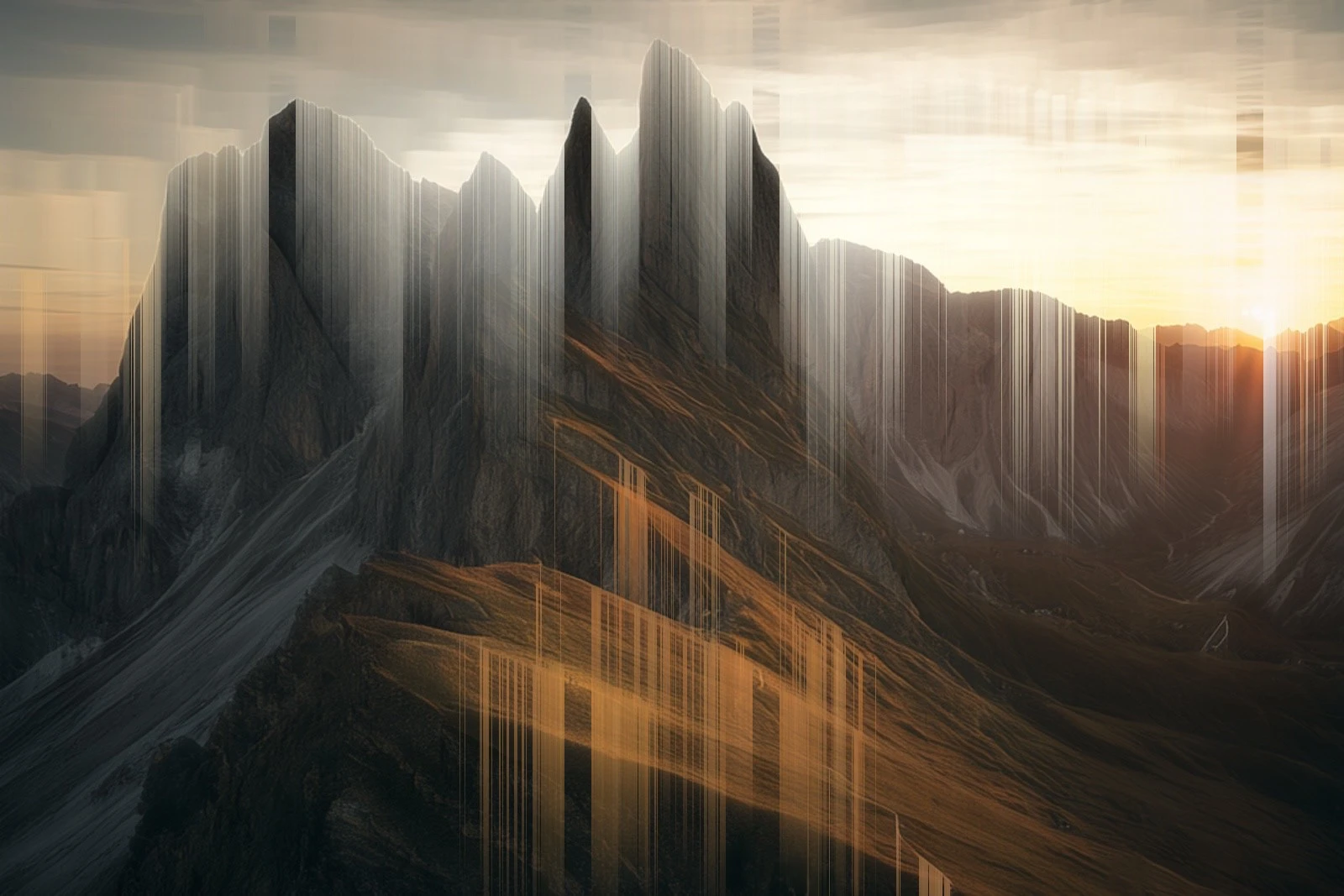
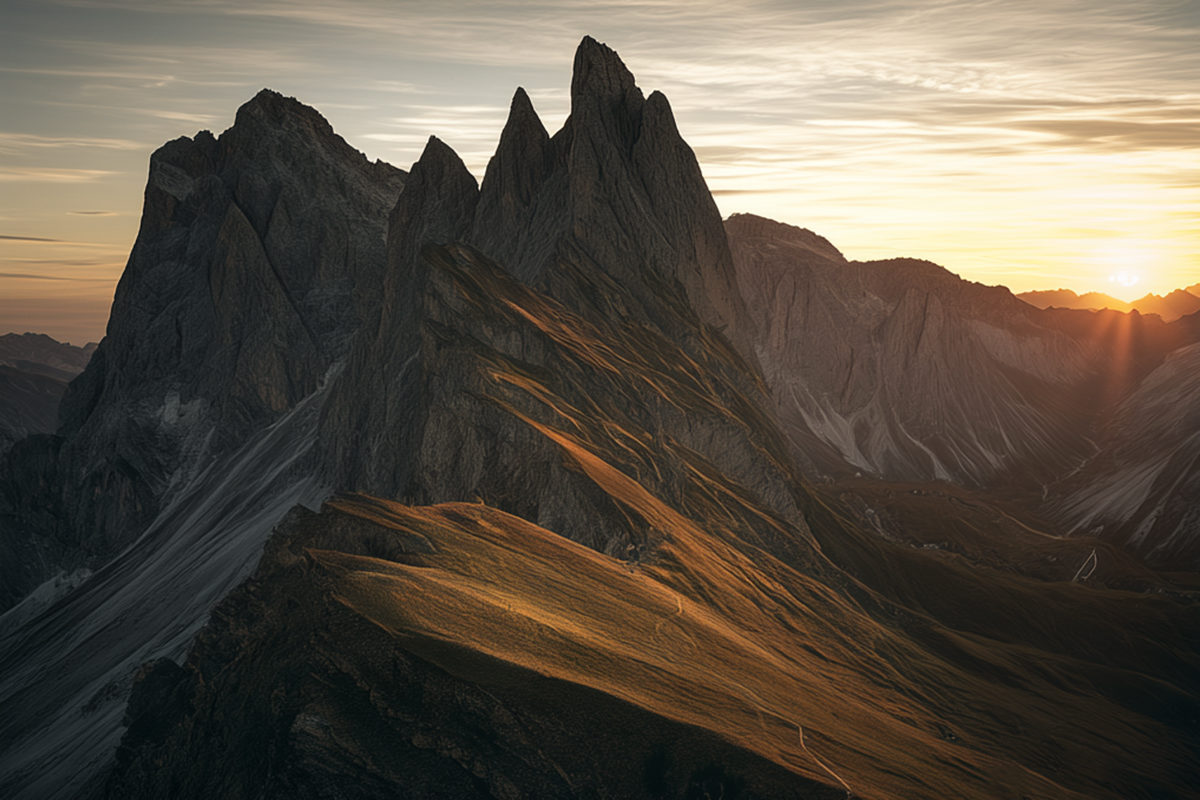
The Fermeda peaks after the Falling Color preset: bright structures drip downward into long smeared trails.
Decoder warning

Corrupt JPEG data: 1,342 extraneous bytes before marker 0xD9

Glitch and error research since 2009 · Simon Perathoner

Keep the accident.

An experimental image lab for Mac, iPhone and iPad. 78 instruments bend real JPEG bytes, sort pixels, drag scanners through time, feed fax machines and dream through a neural network. Move across the image to tear it.

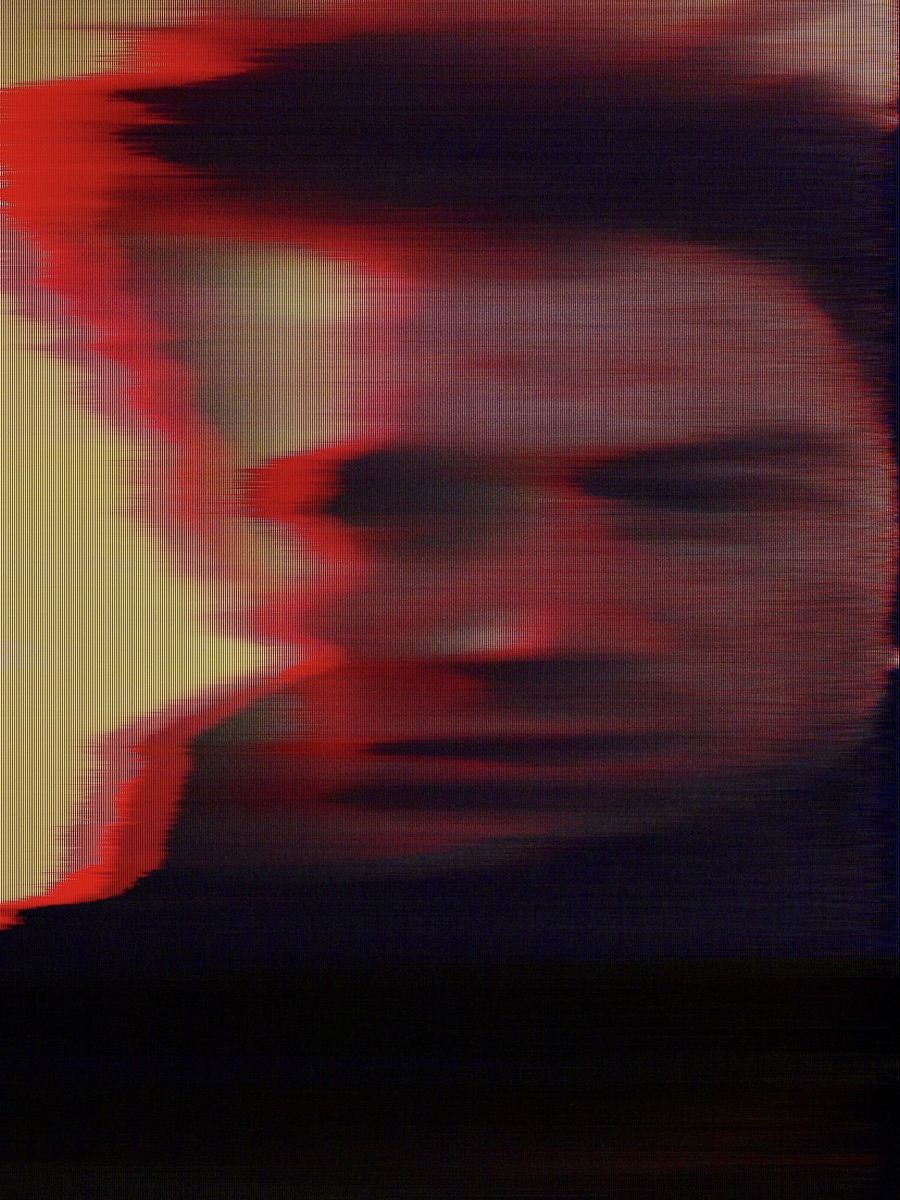
An early glitch portrait from 2009: a face torn sideways by red video interference.
IMG_0725.jpg · 26.12.2009 · 19:36

Seventeen years of accidents.

In 2009 I started working with glitch and error as an artist. Since then I’ve been researching what happens when an image fails: a codec loses its place, a scan tears, a file gets read the wrong way. Again and again, the mistake was the most honest part of the picture.

Glitchtelier is where that work became a lab. 78 instruments, 80 presets, 808 parameters, and errors that stay real: JPEG and PNG data really get bent, and video frames really get decoded against the wrong photograph.

I built this lab for my own work. Now I’m opening it. Bring your photographs, break them on purpose, and share what you keep.

Simon Perathoner

78 instruments
11 collections
80 built-in presets
808 effect parameters
0 uploads · it all runs on your device

§ 01AteliermacOS · iOS · iPadOS

Order is part of the picture.

  1. Open a photographOr a study, a camera capture, or a saved project. The original stays embedded and untouched.
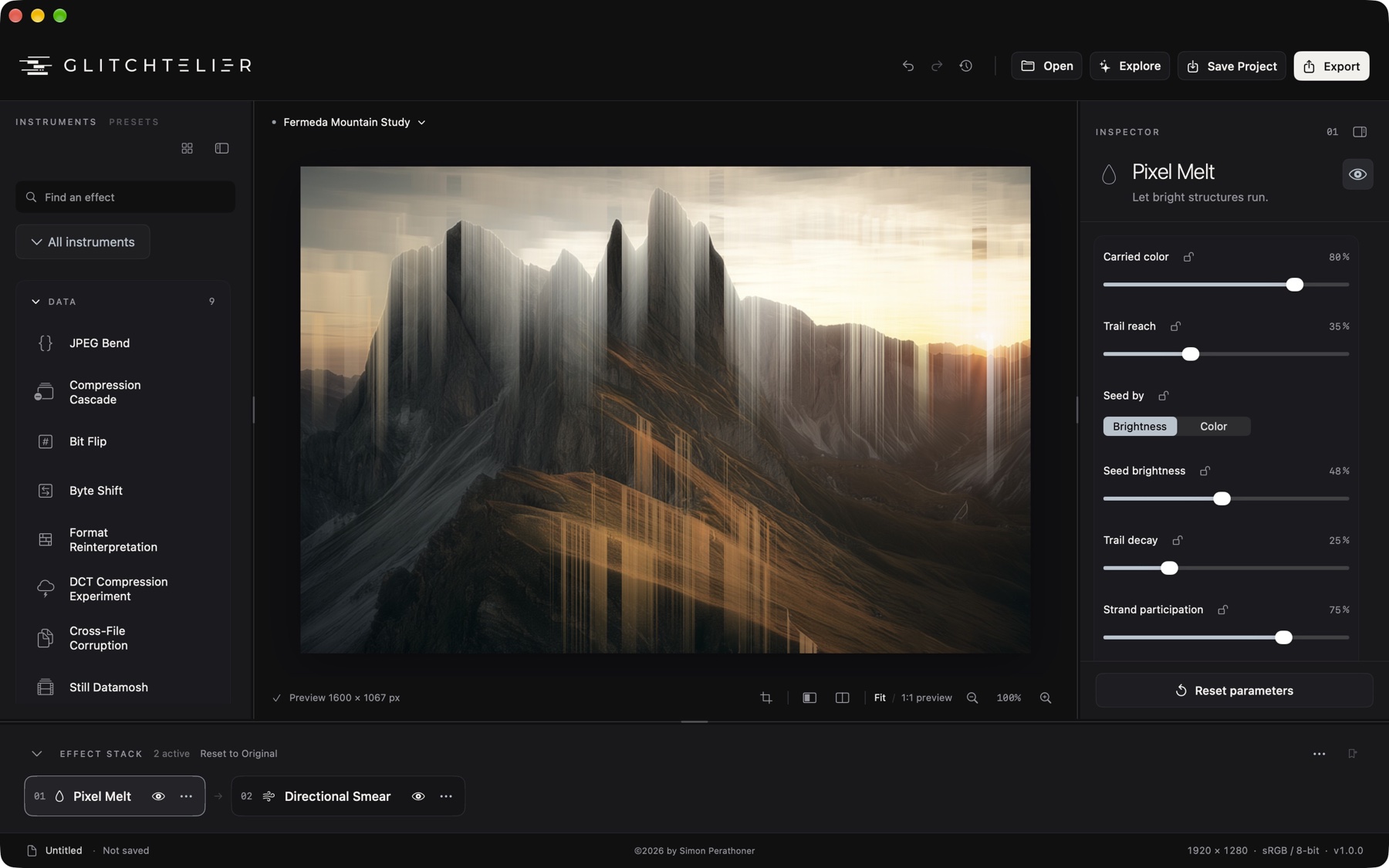
  2. Stack instrumentsUp to 32 layers with 16 blend modes. Drag to reorder, bypass with the eye. Order changes the result.
  3. Mask and linkFive mask types (brush, ellipse, rectangle, luminance, linear gradient), drawn on the artwork. Field links let one layer steer another.
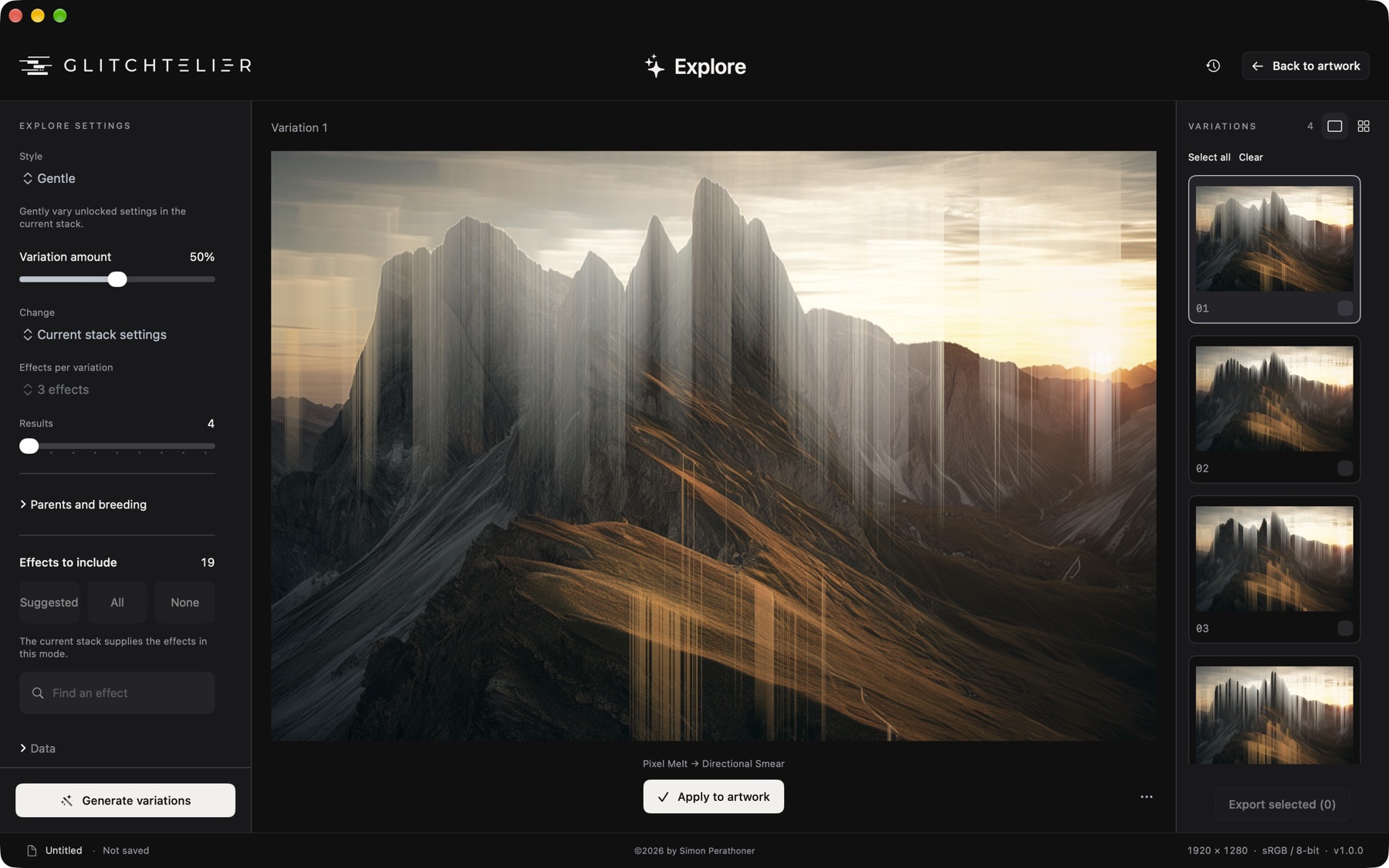
  4. Explore and breedFour styles: Gentle, Exploratory, Bold and Evolve. Generate 4–12 candidates, breed two parents, lock what must not change. Nothing applies until you choose.
  5. InspectSee any layer’s input, output and difference. History keeps 80 states and your named experiments.
  6. Choose your outputRender images to PNG, JPEG, TIFF or WebP; explore contour SVG, byte exports, sound and animation. Processing and output dimensions depend on the instrument, settings and device.
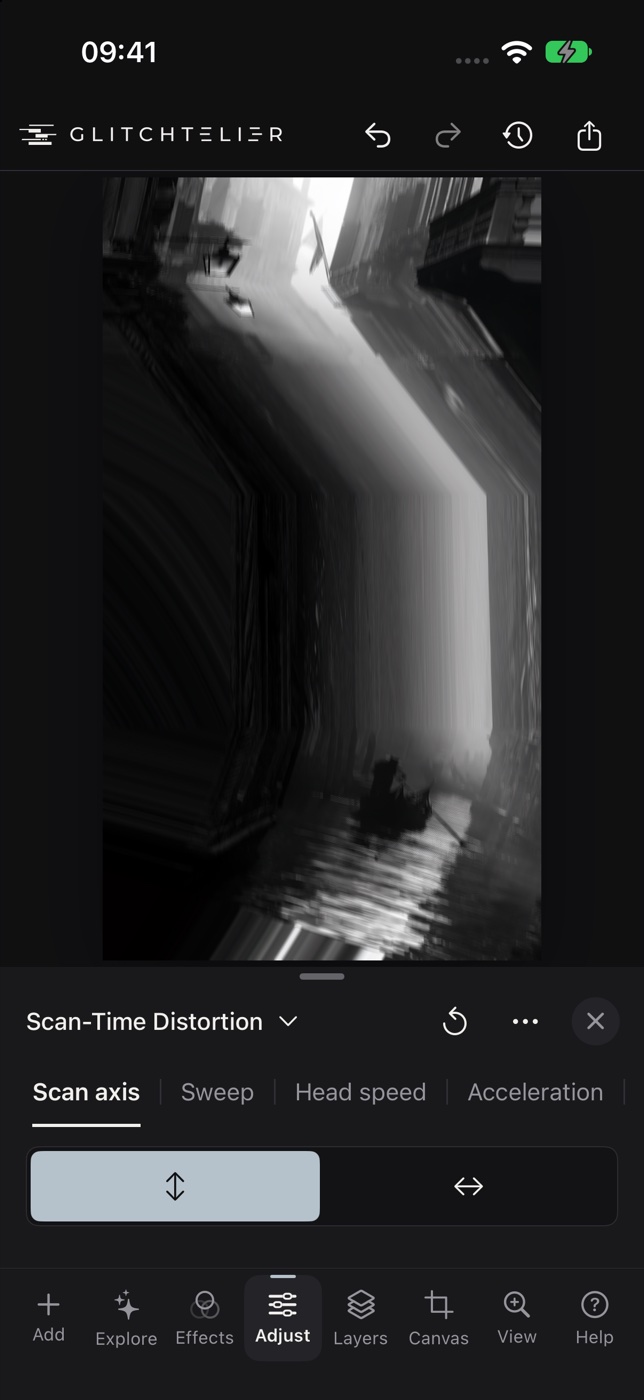
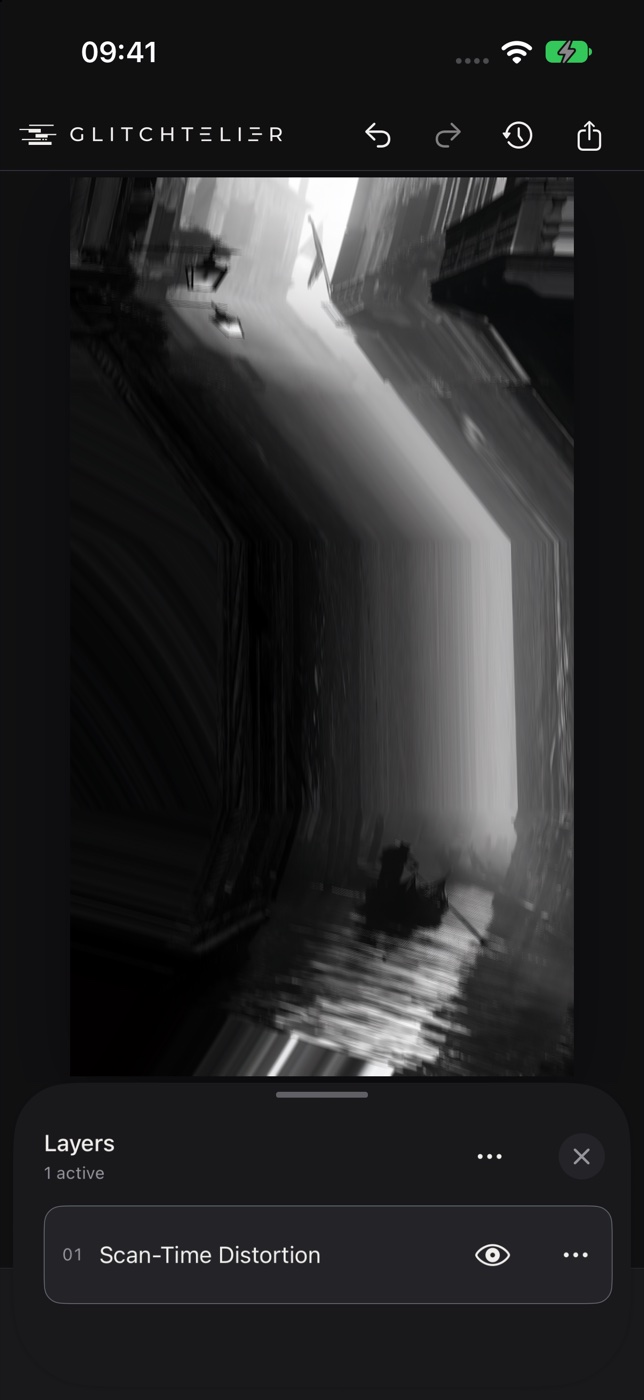
The Glitchtelier Mac workspace with the instrument library, the mountain study under Pixel Melt, its inspector and a two-layer effect stack. Explore on the Mac with a large Pixel Melt variation of the mountain study and a column of numbered variations. Glitchtelier on iPhone adjusting Scan-Time Distortion on the black-and-white Venezia study. The Layers view on iPhone with Scan-Time Distortion as the active layer. Mac · resizable library, inspector, stack · Focus Mode ⇧⌘F iPhone · same instruments, same project files, a real manual camera

§ 02Specimens42 shown

Specimens from three studies

Rendered by Glitchtelier’s engine from its built-in presets, on the three studies that ship with the app, plus some of my own exports. Click a specimen to compare it with the original.

S-001Falling ColorNatura Morta · Pixel Melt → Directional Smear
S-002Fax / Copy DecayVenezia · Fax Desync → Electrostatic Transfer
S-003Three-Ink NightFermeda · CMYK / Riso Plates
S-004Export 002my export · Fermeda
S-005Frozen HeadNatura Morta · Scan-Time Distortion
S-006Tonal GeographyVenezia · Contour Map
S-007Scattered SurfaceFermeda · Noise Field Warp → Pixel Scatter
S-008Reverse SweepVenezia · Scan-Time Distortion
S-009Vermilion / TealNatura Morta · CMYK / Riso Plates
S-010Export 004my export · Fermeda
S-011Game Boy · DMGVenezia · Game Boy · DMG
S-012OverheatedFermeda · Thermal Receipt Printer
S-013Contour InterferenceFermeda · Raster Halftone Lines
S-014Transmission FailureFermeda · Fax Desync
S-015Commodore 64Natura Morta · Commodore 64
S-016_SP_0653 · three passesmy export · own photograph
S-017Unfaithful RestorationNatura Morta · False Recovery
S-018Dragged ScanVenezia · Scan-Time Distortion
S-019Registered CMYKFermeda · CMYK / Riso Plates
S-020Scan Light LeakNatura Morta · Film Camera Faults → Scan-Time Distortion
S-021Long FaxVenezia · Fax Desync
S-022Relief SweepFermeda · Raster Halftone Lines
S-023Export 013my export · Fermeda
S-024Tracking LossNatura Morta · VHS Tape Faults
S-025Recursive FrameNatura Morta · Feedback Loop
S-026Flatbed MovementVenezia · Scan-Time Distortion
S-027Dark ChamberNatura Morta · Camera Obscura
S-028Receipt LandscapeFermeda · Thermal Receipt Printer
S-029Export 014my export · Fermeda
S-030Falling ColorVenezia · Pixel Melt → Directional Smear
S-031Raster OrganismFermeda · Resolution Ecology → Contour Parasite
S-032Worn TapeNatura Morta · VHS Tape Faults
S-033Signal ResidueNatura Morta · Composite Signal Drift → RGB Displace
S-034Frozen HeadVenezia · Scan-Time Distortion
S-035Export 006my export · Fermeda
S-036Lost HandshakeFermeda · Fax Desync
S-037Three-Ink NightVenezia · CMYK / Riso Plates
S-038Commodore 64Fermeda · Commodore 64
S-039Prism RegistrationFermeda · Camera Lucida Drift
S-040Tonal GeographyNatura Morta · Contour Map
S-041Vertical HoldNatura Morta · VHS Tape Faults
S-042Unfaithful RestorationVenezia · False Recovery

§ 03Type4 styles · 14 variants

Photographs, characters and actual bits.

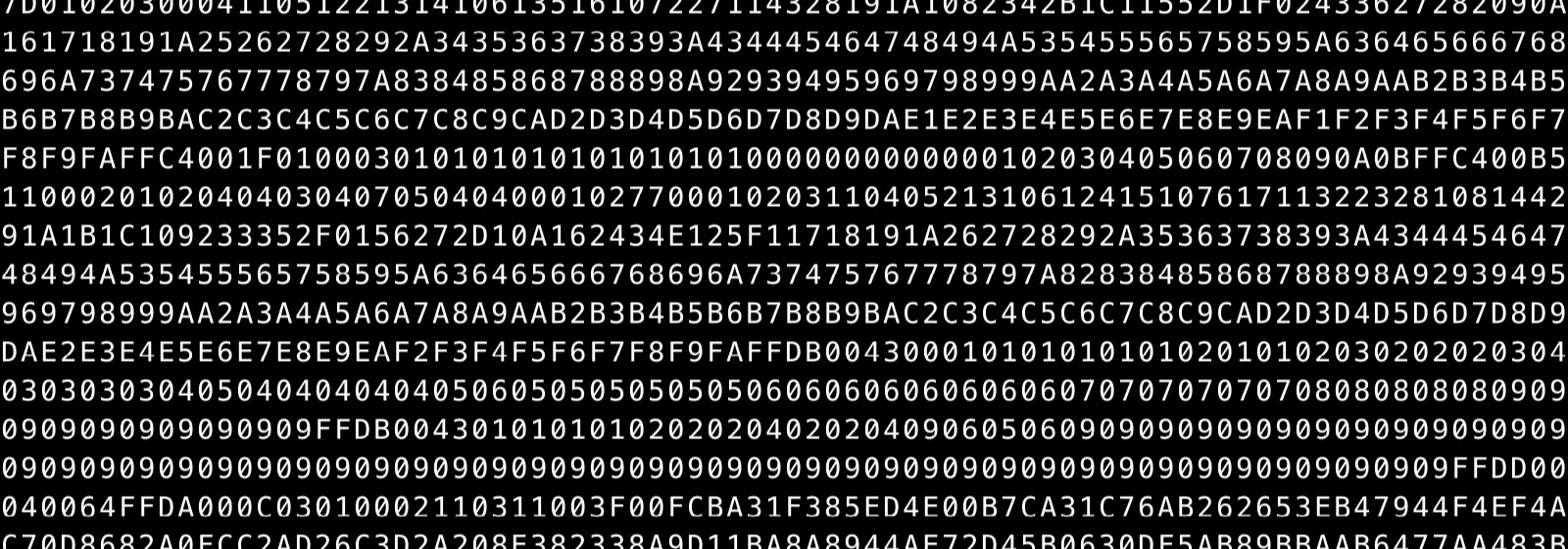
Rows of hexadecimal digits from the encoded file, including the marker FFC4.
HexOriginal file bytes. This crop is the file’s own Huffman table: find FFC4 in the first row.
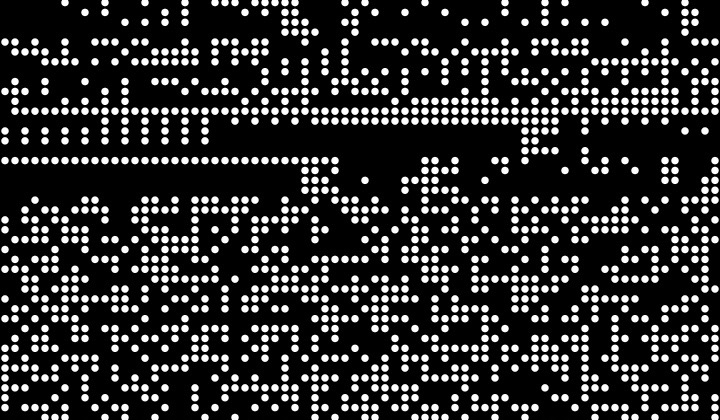
White Braille dot cells scattered across a black field.
BrailleEight-dot Unicode cells. In Code mode, every dot is one bit of the file.
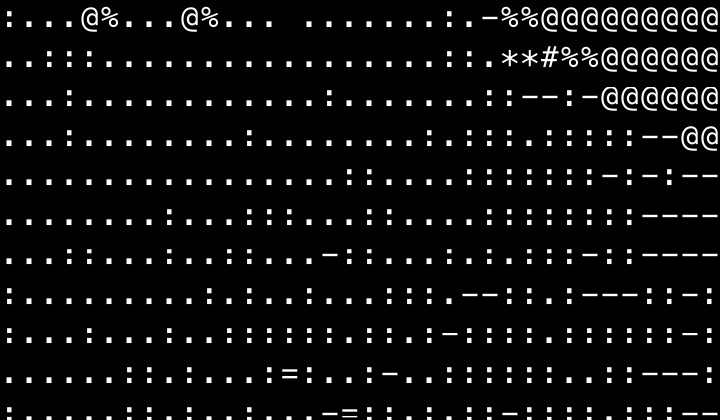
The mountain drawn in ASCII characters.
ASCIITones become characters. Also Depth ASCII, ASCII Decay, Text Mosaic and Encoding Failure.
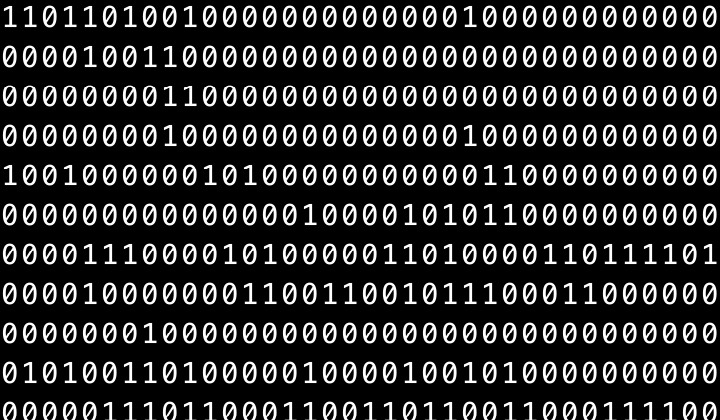
Dense rows of ones and zeros.
BinaryThe original file, eight bits per byte, most significant first.

§ 04Benchruns in your browser

Break something here.

Two small experiments built from the same ideas as the app. They run on this page, on your machine.

Exp. 01

JPEG Bend Change real JPEG entropy bytes.

This page loads an actual JPEG, overwrites a few bytes inside its compressed scan, and lets your browser decode the damage. In the app, JPEG Bend works on an encoded input from your stack, with seeded, versioned processing and a byte ledger. Its processing dimensions depend on the selected settings and device.
Bent

Loading the JPEG…

Byte edits

Study
8
12 %
Skips this share of the scan data, so the top of the image survives.
Exp. 02

Tonal Scan Listen to a photograph.

Brightness becomes sustained tones; top rows are high notes and time runs left to right. The app renders this at native resolution, alongside RGB Voices and Edge Rhythm, and exports WAV or M4A. It also runs the other way: sound becomes an image, or drives your effects.

Sketch · 32 rows · 110–1760 Hz · 6 s

§ 05Indexdefault settings · seed 18472

Index of instruments

Every instrument in the library, rendered by the app with its default settings on the Fermeda study. Point at a name to see its output.Tap a name to see its output.

01Data

02Pixel

03Line

04Field

05Form

06Analog

07Retro Hardware

08Type

09Dream

10Sound

11Hybrid

§ 06Outputlab report

Every export starts again from the original.

preview     up to 1600 px long edge, while you work
export      stack re-rendered at native Canvas dimensions; instrument and device limits apply
image       PNG · JPEG q1–100 · TIFF LZW/none · WebP lossy/lossless
size        Original · 4K · Web · % · custom · photographic or nearest-neighbor
color       converted or embedded profiles · camera/location data removed
batch       one stack × many photos → folder, or PNG/JPEG → Photos album
vector      contour SVG with real path colors
text        character art as UTF-8 · exact hex + binary dumps of every byte
sound       WAV PCM16 · M4A AAC
animation   MP4 up to 1080 px, silent · GIF up to 640 px · bounded timeline
project     .glitchtelier · source, layers, masks, frame, audio
privacy     processing, models and recovery stay on the device · files go where you save them
status      OK · 0 bytes uploaded

§ 07Open lab#keeptheaccident

Every accident can be repeated.

A saved project keeps its source, layers, seeds and algorithm versions, so you can reopen the experiment in a compatible version and take it further. Codec, model and rendering differences can affect the result across devices or operating systems. Share the image, share the project, and tag it #keeptheaccident.

Lab access

Mac · iPhone · iPadPreparing for release

One purchase for Mac, iPhone and iPad

€29.99launch price · one-time purchase · no subscription

€29.99 for the first 30 days after launch, then €39.99. Planned for the Mac App Store and App Store. macOS 14+; iOS/iPadOS 17+.

  • 78 instruments · 11 collections · 80 presets
  • Explore, breeding and History
  • Masks, field links, Source B and depth
  • Sound studio, both directions
  • Image, batch, vector and byte export
  • Animation to MP4 and GIF
Meet the artist